XGIMI MemoMind One review: Smart glasses, creepy AI
They're great in many ways, offensively bad in one or two. Last year, I reviewed Even Realities' G1 , a pair of smart glasses that instantly won me over. I liked the stripped-down feature set, quality hardware and ease of use as it seamlessly fit into my day. XGIMI, better known
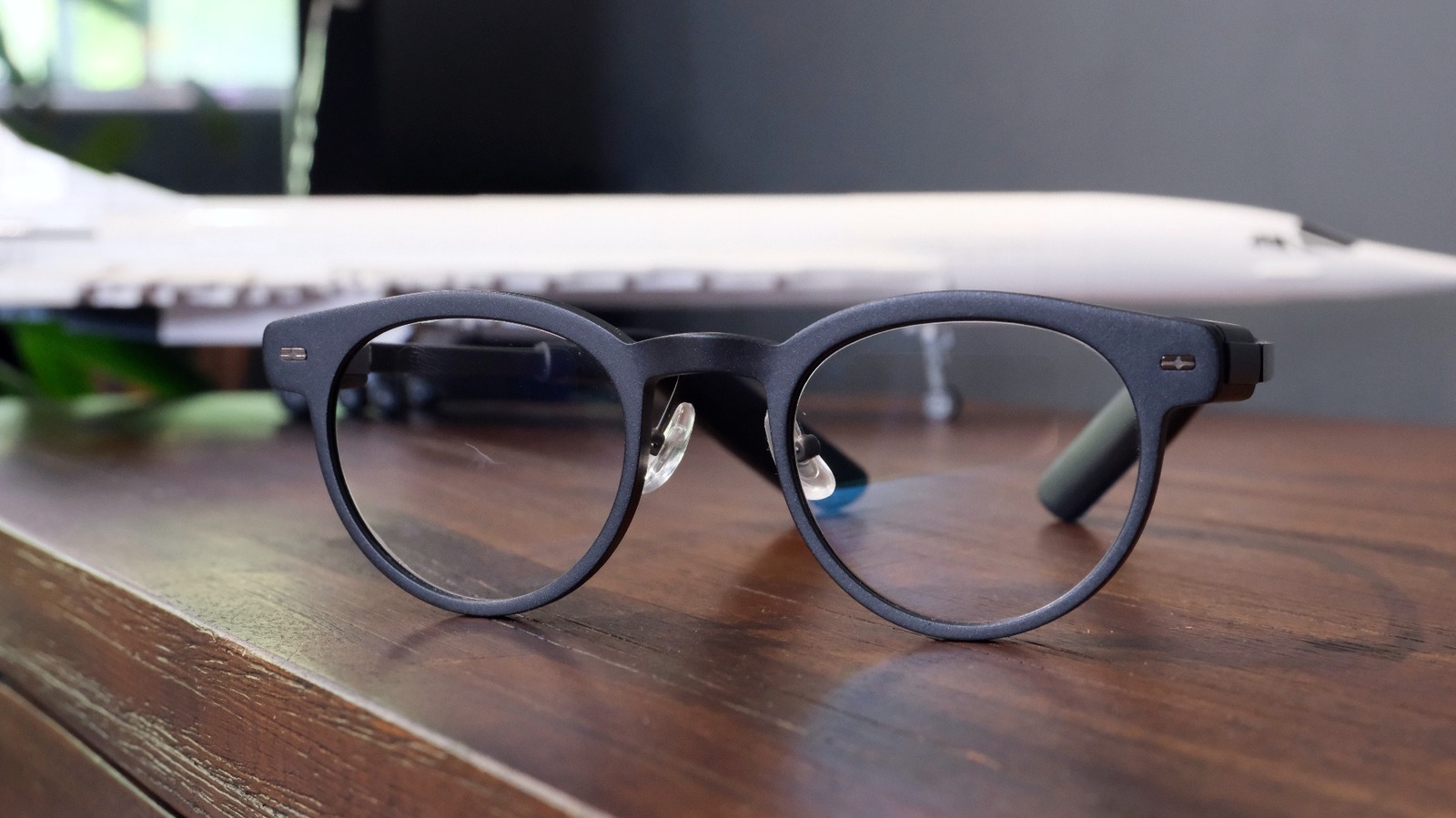
Last year, I reviewed Even Realities' G1 , a pair of smart glasses that instantly won me over. I liked the stripped-down feature set, quality hardware and ease of use as it seamlessly fit into my day. XGIMI, better known for its projectors , is stepping into the same waters with its new MemoMind One. My initial impression at CES was they were cut from a very similar cloth as the G1 (not that I'm implying anything ). After spending a week with a pair on my face, I've seen nothing that changes my mind.
Much of what I liked about the G1 is evident here, and I've got plenty of praise for the things XGIMI sought to improve. Sadly, there are also a few silly design errors that you would have hoped the company would have caught and put right. Worse, there's one feature that is so wrong, so self-evidently creepy, I can't believe anyone at the company thought it was wise to include. You can probably already guess that it's an intrusive AI tool, one that only someone who had already ceded their critical faculties to an LLM could love. And it means while I do love wearing these glasses, my praise is tempered by a fair measure.
The MemoMind One is a pair of smart glasses acting as a second screen for your smartphone. Each lens has a transparent waveguide prism tied to a micro-LED projector. When active, information is beamed to a screen you'll perceive as floating in front of you. It can display notifications, real time captions, translation, AI responses to your questions and turn-by-turn directions. There's also a dashboard you can trigger by tilting your head up at a user-defined angle. Do that, and you can see your notifications, calendar, to-do list, ideas, stock tracker, news headlines, notes, teleprompter script or even song lyrics. It's a swiss army knife for your eyes.
Weighing in at 47 grams (1.6 oz), the MemoMind One isn't heavy enough to put noticeable strain on your head and ears. They're comfortable enough to wear all day, with the weight split between the end pieces (hinges) and the temple tips behind your ears. They're not so ostentatious as to call attention to themselves, but do expect to have people ask you about your new thick glasses. One of the major differences between these and Even Realities' specs is the inclusion of speakers. Each temple tip has a Harman EFX module so you can take calls and listen to Bluetooth audio.
The MemoMind has a single button on the right end piece which has to pull quadruple duty when in use. You'll experience plenty of trying to reach one feature, only for the system to identify your input as something else, with plenty of accompanying sighs. You'll use it to activate the dashboard and cycle through its pages, while a long press wakes up the conversational AI. Meanwhile, a double click will send you to the quick options menu. There, you can activate one of three additional options you set in-app, such as the voice recorder, captions and translation. You'll select one of these three by tilting your head to favor each option (left, center, right) which is mostly reliable. Mostly.
The glasses charge with a USB-C adapter which clips onto the right side temple tip. Call me paranoid, but I'm fairly sure the metal charging contact rubbing on the back of my head irritated my skin in that area. As for the battery life, the company promises 16 hours of "mixed" use on a charge, but I found the glasses were happy to take my fairly punishing use without complaint. That included using the display for constant notifications, playing music, taking calls and chatting to the AI. Plus, there's the creepy, as-it-turns-out-always-on-feature I'll get into later, which didn't seem to hurt the battery's stamina.
If there's one thing the better part of two decades in this job has taught me, it's that you always need one more button than you think. That's especially true if you're building a product with a lot of features you might want quick and easy access to. With just one button, it's pretty easy to misclick the option you want in favor of something else. What I wouldn't give for a second button, or even a tactile surface letting me swipe and double tap through the options.
The limited controls are a bear, but I found MemoMind to be pretty useful just using it as a second screen for my phone. Being able to triage messages, notifications and glance at both my calendar and to-do list were all tremendously useful. I'm impressed with the audio, given the small package and lightweight hardware, which is more than acceptable for listening to music and taking calls.





