Text Diff Checker
Paste two texts and instantly see exactly what changed — added lines, removed lines, and word-level differences highlighted clearly. No signup, no limits.
Compare Two Texts
How to Use
More Text Tools
Common Use Cases
See Free Text Diff Checker & Comparison Tool in action
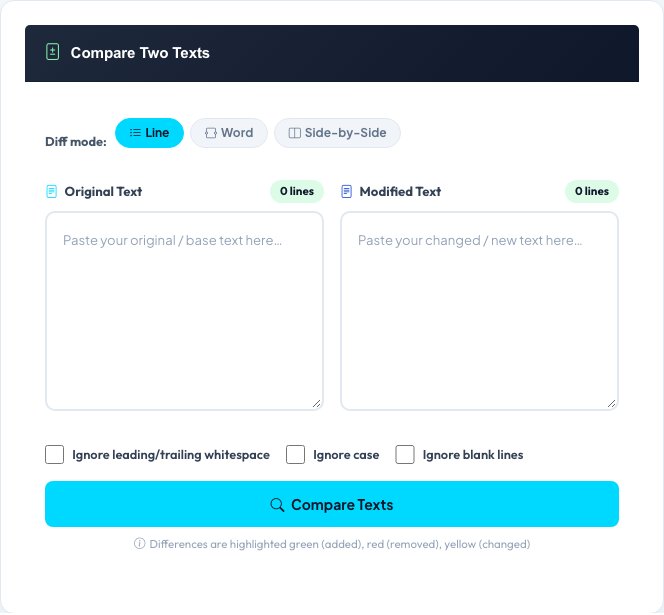
Free Text Diff Checker & Comparison Tool
Paste two versions of a text — two drafts, two code snippets, or two config files — and see exactly what changed between them. Choose Line mode to compare whole lines at once (best for code and config files) or Word mode to see which individual words within a changed line were added or removed (best for prose editing).
The result includes a similarity percentage based on the ratio of unchanged to total lines, plus toggles to ignore whitespace differences or case differences when you only care about substantive content changes, not formatting.
Key features
Line and Word diff modes
Compare whole lines for code/config files, or individual words within a line for prose.
Similarity percentage
An at-a-glance score showing how much the two texts diverge.
Ignore whitespace / ignore case
Filter out formatting-only differences to focus on real content changes.
Color-coded output
Added and removed content is highlighted clearly, line by line or word by word.
How to use it
- Paste the original text into the first box and the revised version into the second.
- Choose Line mode or Word mode depending on what you're comparing.
- Toggle Ignore Whitespace or Ignore Case if formatting shouldn't count as a change.
- Run the comparison and review the highlighted differences and similarity score.
Worked example
Example
Text 1: "The quick brown fox jumps."
Text 2: "The quick red fox jumped."
Word diff highlights: "brown" removed, "red" added; "jumps" removed, "jumped" added. Similarity: 60%.
Who uses this tool
Developers
Compare two versions of a config file or code snippet to spot exactly what changed.
Writers & editors
Track edits between draft versions of an article, contract or script.
Students
Compare their own revision against an earlier draft to see what was improved.
Tips for the best results
- Use Word mode for prose editing — Line mode will mark a whole sentence changed even if only one word differs.
- Enable Ignore Whitespace when comparing code with different indentation styles but identical logic.
- The similarity percentage is a quick health check, not a precise metric — always read the highlighted diff for real detail.
- For very long documents, compare section by section for a more readable diff output.
Common mistakes to avoid
- Using Line mode on prose and assuming a highlighted line means the entire sentence is new — check the actual wording change.
- Forgetting to enable Ignore Case when comparing text that only differs in capitalization, inflating the perceived number of changes.
- Pasting text with inconsistent line endings (Windows vs Unix) without ignoring whitespace, which can show false line-level differences.
Why use AZRS QuickFix?
It is 100% free, needs no signup and has no watermark or usage limits. The tool runs in your browser, so what you type stays on your device, and it works on phones, tablets and desktops. New tools are added every week — bookmark this page or browse the full QuickFix toolbox.
Frequently asked questions
What is a diff checker?
A tool that compares two pieces of text and shows exactly what changed — lines or words added, removed, or modified.
What's the difference between Line and Word diff mode?
Line mode compares whole lines; Word mode finds which individual words within a changed line were added or removed.
What does the similarity percentage mean?
It's the ratio of unchanged to total lines across both texts — 100% means identical, 0% means completely different.
Is my text stored or sent anywhere?
The comparison is computed on the server as a standard form submission but is not stored, logged, or shared with any third party.
What do Ignore Whitespace and Ignore Case do?
Ignore Whitespace strips leading/trailing spaces before comparing; Ignore Case treats uppercase and lowercase as equal.
Is this tool free?
Yes, completely free with no signup required.