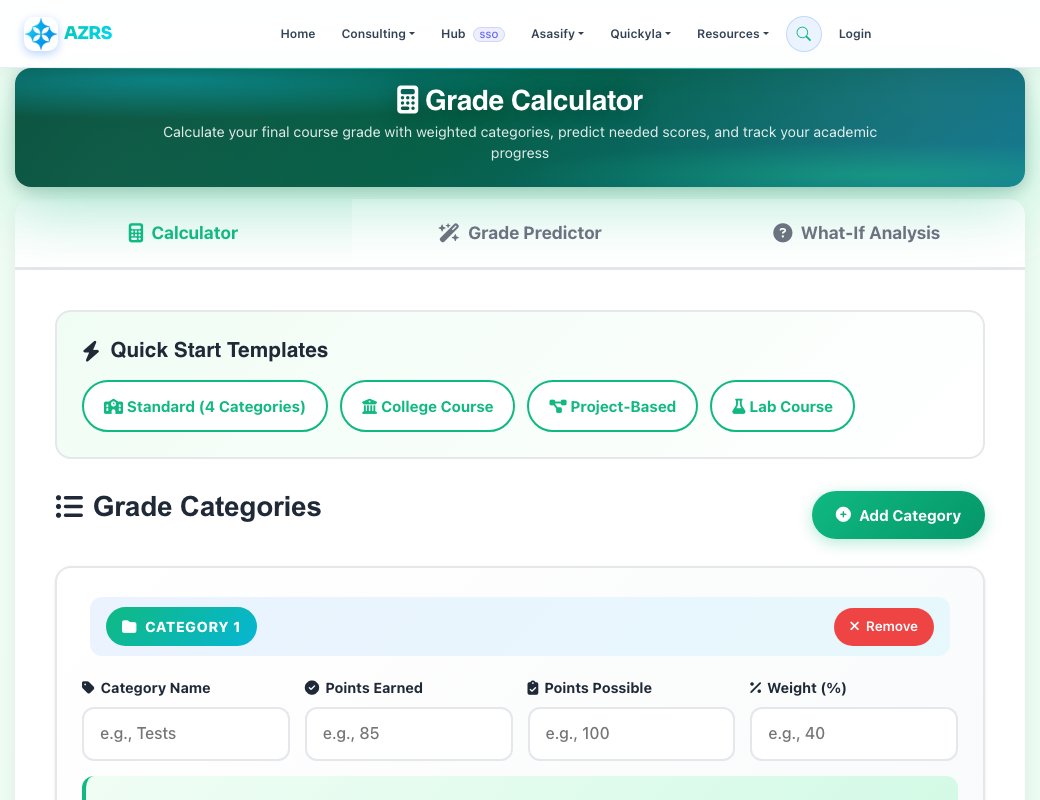
Grade Calculator
Calculate your final course grade with weighted categories, predict needed scores, and track your academic progress
Quick Start Templates
Grade Categories
Category Breakdown
Grade Predictor
Calculate what grade you need on remaining assignments to achieve your target grade.
Target Final Grade (%)
What-If Analysis
See how hypothetical grades on upcoming assignments would affect your final grade.
Add categories in the Calculator tab first, then come back here to run What-If scenarios!
How to Use the Grade Calculator
Our free grade calculator makes it easy to calculate your final course grade with weighted categories. Follow these simple steps:
Add Your Categories
Click "Add Category" to create grade categories like Tests, Homework, Projects, Quizzes, and Final Exam. You can add as many categories as your course has.
Enter Your Grades
For each category, enter the points you earned and the total possible points. For example, if you scored 85 out of 100 on tests, enter 85 for earned points and 100 for possible points.
Set Category Weights
Enter the weight percentage for each category according to your course syllabus. For example, if tests are worth 40% of your grade, enter 40 in the weight field.
Calculate Your Grade
Click "Calculate Final Grade" to instantly see your weighted final grade as both a percentage and letter grade, plus a detailed breakdown of each category's contribution.
Understanding Weighted Grades
A weighted grade calculation means that different assignment categories count for different percentages of your final grade. This is the most common grading method used in high schools and colleges.
What is a Weighted Grade?
In a weighted grading system, each category (tests, homework, projects, etc.) has a predetermined weight that determines its importance in your final grade. For example, tests might be worth 40% while homework is only 20%.
How is it Calculated?
Each category's percentage score is multiplied by its weight, then all weighted scores are added together to get your final grade. For example: (Test % × 40%) + (Homework % × 20%) + (Final Exam % × 40%) = Final Grade
Why Use Weighted Grades?
Weighted grades ensure that more important assignments have a greater impact on your final grade. This reflects the actual learning objectives where comprehensive assessments like exams typically matter more than daily homework.
Common Grading Scales
Different schools and courses use different grading scales. Here are the most common grading scales used in American education:
Standard 10-Point Scale
Most commonly used in K-12 education
Plus/Minus Scale
Common in colleges and universities
Strict College Scale
Used in rigorous academic programs
Tips for Improving Your Grades
Focus on High-Weight Categories
Prioritize assignments in categories with higher weights. A strong performance on a 40% weighted exam has more impact than perfect homework scores worth 10%.
Start Early on Major Projects
Large assignments and exams typically carry the most weight. Give yourself plenty of time to prepare and produce quality work on these high-stakes assessments.
Track Your Progress Regularly
Use this calculator throughout the semester to monitor your grade. Knowing where you stand helps you identify areas that need improvement before it's too late.
Set Realistic Grade Goals
Use the Grade Predictor feature to see what scores you need on remaining assignments. This helps you set achievable targets and plan your study time effectively.
Seek Help When Needed
If you're struggling in a high-weight category, get help immediately. Visit office hours, form study groups, or hire a tutor to improve in areas that matter most.
Don't Ignore Low-Weight Categories
While you should prioritize high-weight assignments, consistent effort on homework and participation can provide a cushion and demonstrate engagement to your instructor.
Advanced Grade Improvement Strategies
Understand the Grading System
Before the semester even starts, thoroughly review your syllabus to understand exactly how your grade will be calculated. Know which assignments carry the most weight and plan accordingly. Some courses heavily weight exams (60-70%), while others distribute points more evenly across homework, projects, and tests.
Strategic Grade Management
Not all points are created equal in a weighted system. A single point on a final exam worth 40% of your grade is worth four times as much as a point on homework worth 10%. Focus your study efforts proportionally to the weight of each assignment category.
Calculate Early and Often
Don't wait until the end of the semester to check your grade. Use this calculator after every major assignment to track your progress. Early awareness of a low grade gives you time to improve through office hours, tutoring, or extra credit opportunities.
Master High-Weight Categories First
If you're short on time, prioritize studying for high-weight categories. It's better to score 95% on a test worth 40% and 80% on homework worth 10% than vice versa. Do the math with this calculator to see how different scenarios affect your final grade.
Leverage Extra Credit Wisely
If your course offers extra credit, calculate how much it will actually help. Extra credit in a low-weight category might not significantly impact your final grade. Use the calculator to model different scenarios before investing time in extra credit work.
Never Miss High-Value Assignments
A zero on any assignment is devastating, but a zero on a high-weight category can be nearly impossible to recover from. If a final exam is worth 40% of your grade and you miss it, the maximum grade you can achieve is 60% (an F), even with perfect scores everywhere else.
Understanding Letter Grades and GPA
Letter grades are converted to numerical values for GPA calculation. Here's how the standard conversion works:
Excellent - Exceptional understanding and mastery of course material
Good - Above average understanding of course material
Satisfactory - Adequate understanding of course material
Passing - Minimal understanding of course material
Failing - Insufficient understanding of course material
Why Use Our Grade Calculator?
Instant Results
Get your final grade calculated in seconds. No waiting, no complex formulas to figure out yourself—just immediate, accurate results.
100% Free Forever
No hidden fees, no premium versions, no subscriptions. This calculator is completely free to use as many times as you need.
Works Everywhere
Use it on your phone, tablet, or computer. The calculator works perfectly on any device with a modern web browser.
Your Privacy Protected
All calculations happen in your browser. We don't store your grades or personal information on any server.
Unlimited Calculations
Calculate grades for as many courses as you want. Add unlimited categories and run endless what-if scenarios.
Student-Focused Design
Built by educators who understand what students need. Simple, clear, and easy to use without unnecessary complexity.
Related Academic Calculators
See Free Grade Calculator in action
Free Grade Calculator
Calculate your final course grade from weighted categories like homework, quizzes, exams and participation. Add each category with its weight percentage and your earned score, and the calculator computes your overall course grade — plus lets you predict the score you need on a remaining assignment to hit a target grade.
This handles the real structure of most syllabi, where categories are weighted unevenly (for example exams worth 50%, homework worth 20%, participation worth 10%), rather than treating every assignment as equally important.
Key features
Weighted category grading
Match your syllabus's exact weighting structure (exams, homework, quizzes, etc).
What-if and grade prediction
Find out what score you need on a remaining assignment to reach a target final grade.
Grade distribution view
See how each category contributes to your overall grade.
Save your history
Log in to save calculations per course and revisit them later.
How to use it
- Add each grading category with its weight percentage (e.g. Exams 50%, Homework 20%).
- Enter your earned score for each category.
- Review your calculated overall course grade.
- Use the what-if tool to predict the score needed on a remaining assignment.
Worked example
Example
Exams (50% weight, 88% earned), Homework (20% weight, 95% earned), and Participation (30% weight, 100% earned) gives a final grade of 0.5×88 + 0.2×95 + 0.3×100 = 93%.
Who uses this tool
Students tracking a course grade
Know your real standing in a class at any point in the semester, not just after the final.
Students planning for finals
Use the what-if predictor to see exactly what final exam score is needed for a target grade.
Parents and tutors
Quickly check a student's current grade trajectory in a course.
Tips for the best results
- Enter category weights exactly as your syllabus states them — they should add up to 100% for an accurate final grade.
- Use the what-if / predict-needed-grade tool before a final exam to know precisely what score you need, rather than guessing.
- Recheck your calculation whenever a new grade is posted so you always know your current standing, not last month's.
- If your professor drops the lowest score in a category, enter only the scores that will actually count.
Common mistakes to avoid
- Weighting categories incorrectly or letting them not add up to 100%, which skews the final grade.
- Forgetting to account for a dropped lowest score if the syllabus allows it.
- Using assignment counts instead of the syllabus's stated category weights.
Why use AZRS QuickFix?
It is 100% free, needs no signup and has no watermark or usage limits. The tool runs in your browser, so what you type stays on your device, and it works on phones, tablets and desktops. New tools are added every week — bookmark this page or browse the full QuickFix toolbox.
Frequently asked questions
How is my final grade calculated?
Each category's average score is multiplied by its weight percentage, and the results are summed across all categories to give your overall grade.
How do I find out what score I need on my final exam?
Use the what-if / predict-needed-grade feature: enter your target overall grade and it calculates the score you need on the remaining category.
Is this grade calculator free?
Yes, free with no signup required to calculate; logging in adds saving and history.
Can I use it for any grading scale?
Yes, enter your syllabus's actual category weights and it adapts to any structure.
Can I save my grade calculations?
Yes, log in to save calculations per course and view your history later.
Does it work for pass/fail or non-percentage grading?
It's built around percentage and weighted-category grading; letter-grade-only or pass/fail courses may need manual conversion first.