📅 Tax Season 2026 58 days remaining  📁 Collect W-2s, 1099s & receipts first.

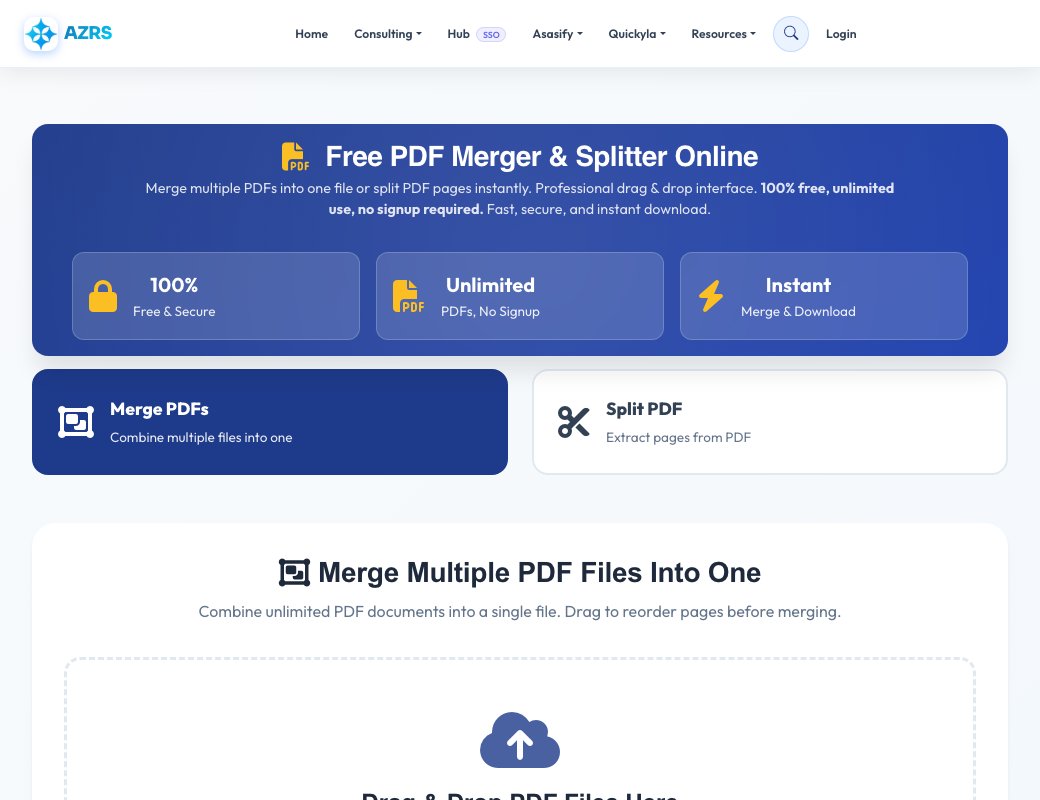
Free PDF Merger & Splitter Online 2026

Merge multiple PDFs into one file or split PDF pages instantly. Professional drag & drop interface. 100% free, unlimited use, no signup required. Fast, secure, and instant download.

2.5M+ Users Worldwide
15M+ PDFs Processed
4.9/5 User Rating

Merge Multiple PDF Files Into One

Combine unlimited PDF documents into a single file. Drag to reorder pages before merging.

Drag & Drop PDF Files Here

or click to browse your computer

Upload multiple PDF files • Max 1GB each • Unlimited files

PDF Files to Merge (0 files)

Drag to reorder • Click × to remove • Add more files above

Drop more PDF files here or

Split PDF Into Separate Pages

Extract all pages or specific page ranges from your PDF document.

Drag & Drop PDF File Here

or click to browse your computer

Upload one PDF file • Max 1GB

Split Options

Examples: "1-3" (pages 1 to 3), "1,3,5" (pages 1, 3, and 5), "1-5,10-15" (pages 1-5 and 10-15)

Processing Your PDF...

Please wait while we process your files

0%

Success!

Your PDF is ready

Why Choose Our PDF Merger & Splitter?

100% Free Forever

Merge and split unlimited PDFs completely free. No hidden costs, no premium plans, no trials. Free forever.

No Signup Required

Use our PDF tools instantly without creating an account, providing email, or any personal information.

No Watermarks

Your merged and split PDFs are completely clean without any watermarks, branding, or advertisements.

Mobile Friendly

Works perfectly on smartphones, tablets, and all devices. Responsive design optimized for mobile use.

Secure & Private

SSL encryption protects your files. All PDFs are automatically deleted after processing. Your privacy guaranteed.

Lightning Fast

Instant processing with optimized servers. Most PDFs merge or split in under 10 seconds.

Drag & Drop Interface

Intuitive drag and drop to upload files and reorder pages. Easy to use for everyone.

Unlimited Usage

No file limits, no daily restrictions. Merge and split as many PDFs as you need, whenever you want.

Batch Processing

Merge multiple large PDFs or split into hundreds of pages. Handle bulk PDF operations easily.

Works Everywhere

Compatible with Windows, Mac, Linux, Android, iOS, and all modern web browsers.

Reorder Pages

Easily rearrange PDF order before merging. Drag and drop files to customize the final sequence.

Large File Support

Upload PDFs up to 1GB each. Process large documents, scans, and presentations with ease.

How to Merge PDF Files Online

1

Upload PDF Files

Click "Choose PDF Files" or drag and drop multiple PDF documents into the upload area. You can select as many PDFs as you need to merge.

2

Reorder PDFs (Optional)

Drag and drop the uploaded PDF files to arrange them in your preferred order. The merged PDF will maintain this sequence.

3

Merge and Download

Click "Merge PDFs Now" button. Your combined PDF will be processed instantly and ready for download in seconds.

How to Split PDF Pages Online

1

Upload PDF File

Switch to "Split PDF" mode and upload the PDF file you want to split into separate pages or extract specific ranges.

2

Choose Split Options

Select "All Pages" to extract every page, or choose "Page Range" to specify which pages to extract (e.g., 1-5, 8, 10-15).

3

Split and Download

Click "Split PDF Now" and download your extracted pages as individual PDF files in a convenient ZIP archive.

Popular PDF Merger & Splitter Use Cases

Business Documents

Merge contracts, proposals, reports, and presentations into professional packets.

Academic Papers

Combine research papers, assignments, and study materials into organized documents.

Invoices & Receipts

Merge monthly invoices, receipts, and financial documents for accounting and records.

Real Estate

Combine property listings, contracts, and disclosure documents for clients.

Medical Records

Organize medical reports, test results, and patient documents into single files.

Legal Documents

Merge legal briefs, evidence, and case files for court submissions.

E-Books & Manuals

Combine chapters, sections, and appendices into complete e-books or manuals.

Reports & Analytics

Merge monthly reports, analytics, and dashboards into comprehensive documents.

Frequently Asked Questions About PDF Merger & Splitter

Yes! Our PDF merger and splitter is 100% free with unlimited use. There are no hidden costs, no premium plans, no watermarks on your PDFs, and no signup required. You can merge and split as many PDFs as you want, completely free forever. We believe everyone should have access to professional PDF tools without paying.

You can merge unlimited PDF files in a single operation. There is no limit to the number of PDFs you can combine. Upload as many files as you need and merge them into one document. Each individual PDF can be up to 1GB in size, giving you plenty of capacity for large documents, scans, and presentations.

Yes! After uploading your PDFs, simply drag and drop the files in the file list to reorder them before merging. Arrange them in any sequence you want and the merged PDF will maintain that exact order. This is perfect for organizing documents, chapters, or sections in your preferred arrangement.

To split a PDF: 1) Click the "Split PDF" tab, 2) Upload your PDF file, 3) Choose "All Pages" to extract every page or "Page Range" to specify which pages (e.g., 1-5, 8, 10-15), 4) Click "Split PDF Now", and 5) Download your individual PDF pages as a ZIP file. Each page becomes a separate PDF file.

Yes, your privacy and security are our top priorities. All PDFs are processed with SSL encryption to protect data transmission. Your files are automatically deleted from our servers immediately after merging or splitting. We never store, share, access, or use your files for any purpose. Your documents remain completely private and secure.

No account required! You can use our PDF merger and splitter instantly without creating an account, signing up, or providing any personal information like email or phone number. Simply upload your PDFs, process them, and download the results immediately without any barriers or registration.

Yes! Our PDF merger and splitter is fully optimized for mobile devices including smartphones and tablets. It works seamlessly on iPhone, iPad, Android phones and tablets, and all modern mobile browsers. The interface is responsive and touch-friendly, making it easy to upload, merge, split, and download PDFs on any device.

Each PDF file can be up to 1GB (1024 MB) in size. This generous limit allows you to work with very large documents, high-resolution scans, image-heavy presentations, and extensive reports. You can upload and merge multiple 1GB PDFs if needed, giving you plenty of capacity for professional document management.

No watermarks ever! Your merged and split PDFs will be completely clean without any AZRS Corp branding, watermarks, logos, or advertisements. The output PDFs are professional-quality files that you can use immediately for business, academic, or personal purposes without any modifications needed.

Processing is nearly instant with our optimized servers. Most PDF merges and splits complete in under 10 seconds, even with multiple files or dozens of pages. Very large files (several hundred MB or thousands of pages) may take 30-60 seconds. You'll see a progress indicator during processing.

Yes! When splitting a PDF, choose the "Page Range" option and specify which pages you want to extract. For example, enter "1-5, 8, 10-15" to extract pages 1 through 5, page 8, and pages 10 through 15. This gives you precise control over which pages to include in your split PDF files.

Our PDF tools work on all modern web browsers including Chrome, Firefox, Safari, Edge, and Opera. Compatible with all operating systems: Windows, macOS, Linux, Android, iOS, and Chrome OS. The tool is web-based so there's no software to download or install - just open your browser and start using it.

Professional PDF Merger & Splitter Tool 2026

Welcome to AZRS Corp's free PDF merger and splitter - the most advanced online tool for combining and splitting PDF documents. Whether you need to merge multiple PDFs into one file or split a PDF into separate pages, our professional tool makes it fast, easy, and completely free.

Why Use an Online PDF Merger?

PDF merging is essential for organizing documents, creating reports, compiling presentations, and managing paperwork. Instead of downloading expensive software, our free online PDF merger lets you combine PDF files instantly in your web browser. Perfect for business professionals, students, teachers, real estate agents, lawyers, accountants, and anyone who works with PDF documents regularly.

Advanced PDF Splitting Capabilities

Need to extract pages from a PDF? Our PDF splitter tool allows you to split PDF documents into individual pages or extract specific page ranges. This is invaluable when you need to share specific sections of a larger document, extract signatures, isolate important pages, or reorganize PDF content. Split all pages or choose custom ranges like 1-5, 8, 10-15 with our flexible page range selector.

No Software Installation Required

Unlike desktop PDF software that requires downloads, installations, and updates, our web-based PDF tool works directly in your browser. Access it from any device - Windows PC, Mac, Chromebook, Linux, iPad, iPhone, or Android tablet. No plugins, no extensions, no downloads needed. Just visit this page and start merging or splitting PDFs immediately.

100% Free with No Limitations

Many PDF tools limit free users with watermarks, file limits, or premium features. We offer completely unlimited free use with no restrictions. Merge unlimited PDFs, split as many documents as you need, process files up to 1GB each, and download clean results without watermarks. No trial periods, no credit cards, no hidden costs - just free PDF tools forever.

Enterprise-Level Security & Privacy

Your PDF documents are important and confidential. We protect your files with SSL encryption during upload and processing. All PDFs are automatically deleted from our servers immediately after you download the merged or split results. We never store, access, share, or use your files for any purpose. Your privacy is guaranteed with our zero data retention policy.

Optimized for Mobile Devices

Work on the go with our mobile-friendly PDF merger. The responsive interface adapts perfectly to smartphones and tablets, providing a seamless experience on iOS and Android devices. Touch-optimized controls make it easy to upload files, drag and drop to reorder, and download results directly to your mobile device. Process PDFs anywhere, anytime.

Drag & Drop Interface

Our intuitive drag and drop PDF organizer makes file management effortless. Simply drag PDF files from your computer into the upload area, then drag them within the list to reorder before merging. This visual interface eliminates confusion and gives you complete control over your document organization. Perfect for users of all technical skill levels.

Fast Processing with Instant Downloads

Time is valuable, so we've optimized our servers for lightning-fast PDF processing. Most operations complete in seconds, even with large files or multiple documents. See real-time progress indicators during processing, then download your merged or split PDFs instantly. No waiting rooms, no email delivery - get your files immediately.

Professional Quality Output

Maintain document integrity with our high-quality PDF processing. Original formatting, fonts, images, links, and metadata are preserved during merging and splitting. The output PDFs are professional-grade files ready for business use, client presentation, printing, or archiving without any quality loss or compatibility issues.

Common Use Cases

  • Business: Merge contracts, proposals, invoices, and reports into organized packets
  • Education: Combine lecture notes, assignments, and research papers
  • Legal: Compile case files, evidence, and legal documents
  • Real Estate: Create property listing packages and disclosure bundles
  • Healthcare: Organize medical records and patient documents
  • Accounting: Merge financial statements and tax documents
  • Publishing: Combine chapters and sections into complete e-books
  • Personal: Organize receipts, warranties, and personal records

Start Using the Best Free PDF Merger & Splitter Today

Join over 2.5 million users worldwide who trust AZRS Corp for their PDF merging and splitting needs. Experience the convenience of professional PDF tools without the cost. Upload your first files now and see why we're rated 4.9/5 stars by thousands of satisfied users. Merge PDFs, split documents, and organize your files in seconds - completely free, forever.

All Tools
Homework Planner
GPA Calc
Flashcards
Citations
Study Timer
Grade Calc
Unit Conv.
File Compress
File Convert
PDF Merger
Image→PDF
Text Extract
Video DL
PDF Splitter
File Encrypt
BG Remover
FG Remover
Color Changer
Img Resizer
QR Code
Percentage
Loan EMI
Mortgage
Tax Calc
Salary
Currency
BMI
Tip Calc
Compound Int.
Translator
Summarizer
Transcription
AI Chat
Project Maker
Paraphraser
Word Counter
Case Converter
Paraphraser
Summarizer
Text Extractor
Find & Replace
Diff Checker
Text to Speech
Lorem Ipsum
JSON Format
Base64
Regex Tester
Speed Test
My IP
Notes App
Stock Advisor
Risk Simulator
CSV↔JSON
XML↔JSON
Base64
URL Encode
Binary↔Text
MoleMath
ChemScope
Periodic Table
SEO Analyzer
Speed Test
Keywords
Internal Links
Cannibalization
Tech Stack
Islam Home
Prayer Times
Quran Reader
Halal/Haram
Christianity
All Religions
Prayer Times
Athan
Qibla
Tasbih
Halal Scanner
Zakat Calc
Masjid Finder
Ramadan
Quran Reader
Hadith
Flappy Bird
Snake
Chess
2048
Tetris
All Games →
All News
Tech News
AI News
World News
Islamic News
Finance News
Sports
Science
Health
Web Dev
Tax Services
Business
Book Appt
Expenses
All Services