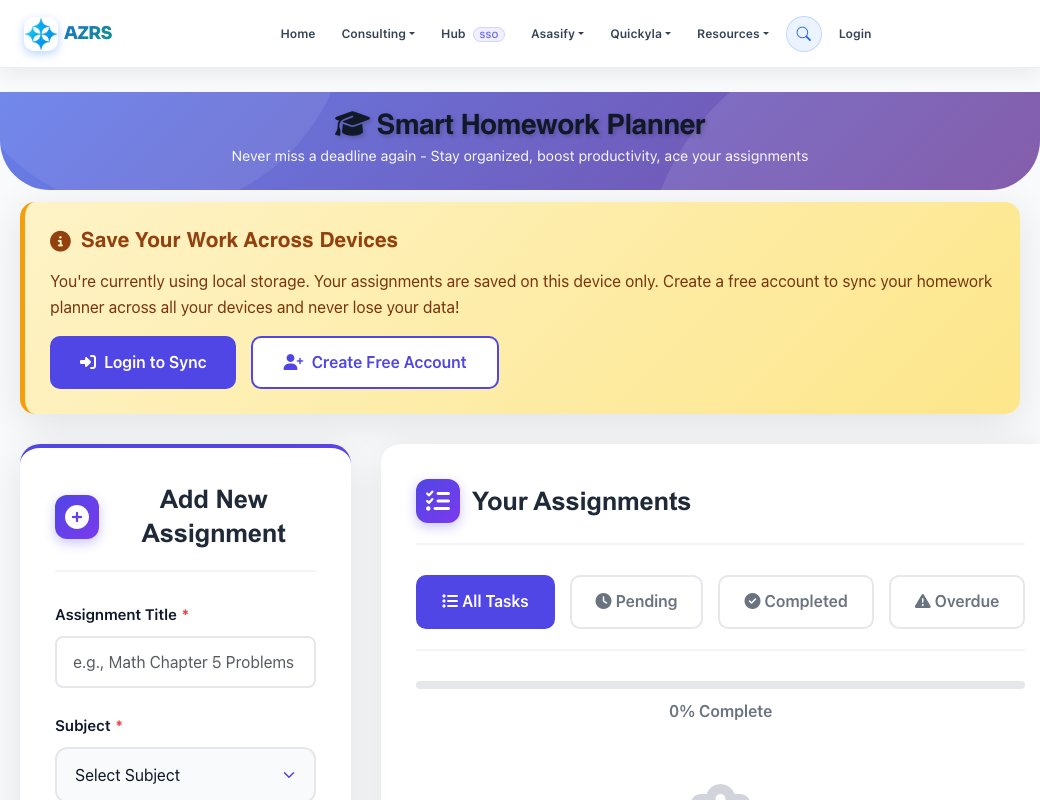
Smart Homework Planner
Never miss a deadline again - Stay organized, boost productivity, ace your assignments
Save Your Work Across Devices
You're currently using local storage. Your assignments are saved on this device only. Create a free account to sync your homework planner across all your devices and never lose your data!
Add New Assignment
Your Assignments
Why Students Love Our Homework Planner
Unlimited Assignments
Add as many homework tasks as you need. No limits, no restrictions. Perfect for busy students managing multiple classes and projects.
Smart Deadline Alerts
Never miss another deadline. Get automatic reminders for upcoming assignments and overdue tasks with visual priority indicators.
Progress Tracking
Monitor your productivity with real-time progress bars and completion statistics. See your academic progress at a glance.
Priority Management
Organize tasks by priority levels (Low, Medium, High) to focus on what matters most and manage your study time effectively.
Cloud Sync
Access your homework planner from any device. Your assignments sync automatically across desktop, tablet, and mobile.
Secure & Private
Your data is encrypted and secure. We never share your information. Free forever with no ads or hidden costs.
Frequently Asked Questions About Our Homework Planner
How does the homework planner help students stay organized?
Our homework planner helps students organize all their assignments in one place with features like subject categorization, priority levels, deadline tracking, and automatic reminders. Students can quickly see what needs to be done, when it's due, and what to prioritize. The visual progress tracking and color-coded priority system make it easy to manage multiple assignments across different subjects without feeling overwhelmed.
Is the homework planner really free?
Yes! Our homework planner is completely free with unlimited assignments, no ads, and no hidden costs. You can add as many homework tasks as you need, across unlimited subjects, with full access to all features including cloud sync (when logged in), priority management, and deadline notifications. We believe every student deserves access to powerful productivity tools without paying subscription fees.
Can I use the planner without creating an account?
Absolutely! You can start using the homework planner immediately without signing up. Your assignments will be saved locally on your device using browser storage. However, creating a free account allows you to sync your homework planner across multiple devices (phone, tablet, computer) and ensures your data is backed up in the cloud, so you never lose your assignments even if you switch devices.
What features does the homework planner include?
The planner includes unlimited task creation, 13 subject categories, custom descriptions, deadline tracking with date and time, three priority levels (Low, Medium, High), task status management (Pending, In Progress, Completed), automatic overdue detection, visual progress tracking, filtering by status, cloud sync for logged-in users, and a clean, distraction-free interface designed specifically for students.
How do I set priorities for my homework?
When adding a new assignment, you can select from three priority levels: Low (for assignments with flexible deadlines or lower grade weight), Medium (for standard homework), and High (for important projects, tests, or assignments with tight deadlines). Each priority level is color-coded (green for Low, orange for Medium, red for High) making it easy to identify urgent tasks at a glance.
Can I access my homework planner on my phone?
Yes! The homework planner is fully responsive and works perfectly on smartphones, tablets, and desktop computers. The interface automatically adapts to your screen size for optimal usability. If you create an account and log in, your assignments will sync across all your devices, so you can add homework on your laptop and check it later on your phone.
How does the overdue detection work?
The planner automatically compares each assignment's due date with the current date and time. If a task passes its deadline and hasn't been marked as completed, it's automatically flagged as overdue with a special visual indicator (red striped border and "OVERDUE" badge). This helps you immediately identify which assignments need urgent attention.
What subjects can I track in the homework planner?
The planner includes 13 pre-defined subjects: Mathematics, Science, English, History, Geography, Physics, Chemistry, Biology, Computer Science, Art, Music, Physical Education, and a general "Other" category. Each subject has its own emoji icon for quick visual identification. You can use any combination of subjects to match your class schedule.
Is my homework data safe and private?
Yes, your privacy is our priority. For users without accounts, data is stored locally in your browser and never leaves your device. For logged-in users, data is encrypted and stored securely on our servers. We never sell, share, or use your homework information for advertising. Your assignments are yours alone, and you can delete your data anytime.
How do I mark assignments as complete?
Each homework task card has a "Complete" button that instantly marks the assignment as finished. Completed tasks are visually distinct with a green background tint and reduced opacity. You can filter to show only completed tasks or hide them from your main view. If you accidentally mark something complete, you can change it back to pending with one click.